

Technical SEO Checklist: The Complete Guide to Optimizing Your Website for Search Engines
Introduction
Technical SEO is the foundation of every successful SEO strategy. While content creation and backlink building are essential, technical SEO ensures that search engines can crawl, index, and understand your website efficiently. Without proper technical SEO, even the best content may struggle to rank in search engine results pages (SERPs).
This comprehensive Technical SEO Checklist covers all the critical aspects of technical optimization, from website crawling and indexing to page speed, mobile usability, structured data, and security. By following this technical SEO checklist, you can improve your website’s performance, user experience, and search engine visibility.
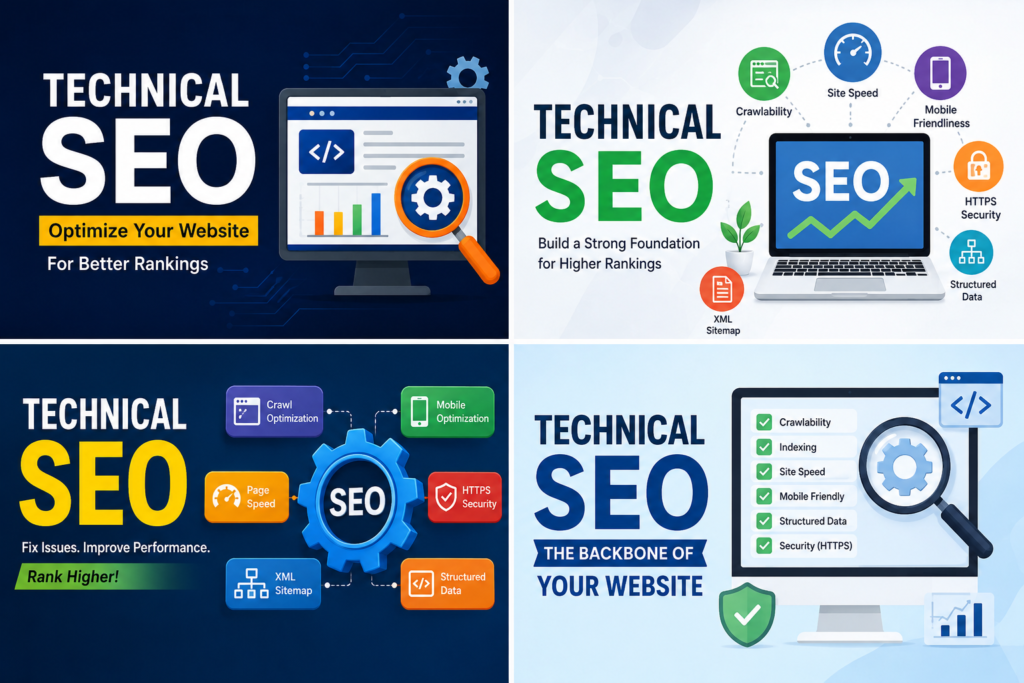
What is Technical SEO?
Technical SEO refers to the process of optimizing a website’s technical elements to help search engines crawl, index, and rank pages effectively. Unlike on-page SEO, which focuses on content optimization, technical SEO deals with the backend structure and functionality of a website.
Benefits of technical SEO include:
- Faster website performance
- Better crawling and indexing
- Improved user experience
- Higher search rankings
- Enhanced website security
- Increased organic traffic
A strong technical SEO strategy helps search engines understand your website while ensuring users have a smooth browsing experience.
Technical SEO Checklist for Website Success
H2: Ensure Your Website is Crawlable
Search engine bots must be able to crawl your website before they can index your pages.
H3: Check Robots.txt File
Your robots.txt file tells search engines which pages they can or cannot crawl.
Best practices:
- Place robots.txt in the root directory.
- Avoid blocking important pages.
- Regularly test robots.txt rules.
- Remove unnecessary restrictions.
H3: Create and Submit XML Sitemap
An XML sitemap helps search engines discover your content quickly.
Technical SEO checklist for XML sitemaps:
- Include important URLs.
- Exclude duplicate pages.
- Update automatically.
- Submit to Google Search Console.
H3: Fix Crawl Errors
Use Google Search Console to identify crawl errors such as:
- 404 errors
- Server errors
- Redirect loops
- Blocked resources
Resolving crawl issues improves technical SEO performance.
H2: Optimize Website Indexing
Indexing allows search engines to store and display your pages in search results.
H3: Check Indexed Pages
Use:
site.com
to see indexed pages.
Compare indexed pages with actual website pages.
H3: Remove Thin Content
Thin content can negatively affect technical SEO.
Examples:
- Empty pages
- Duplicate pages
- Low-value content
- Auto-generated content
H3: Use Canonical Tags
Canonical tags prevent duplicate content problems.
Benefits:
- Consolidates ranking signals
- Improves crawl efficiency
- Prevents indexing confusion
Canonical tags are essential for technical SEO success.
H2: Improve Website Speed
Website speed is a confirmed ranking factor.
H3: Optimize Images
Large images slow down websites.
Image optimization tips:
- Compress images
- Use WebP format
- Implement lazy loading
- Resize properly
H3: Minify CSS, JavaScript, and HTML
Reduce file size by removing:
- Unnecessary spaces
- Comments
- Unused code
H3: Enable Browser Caching
Browser caching stores website resources locally.
Benefits:
- Faster page loading
- Reduced server load
- Better user experience
H3: Use Content Delivery Network (CDN)
CDNs distribute content through multiple servers worldwide.
Popular CDN providers include:
- Cloudflare
- Bunny CDN
- Akamai
A CDN enhances technical SEO and page speed.
H2: Optimize Core Web Vitals
Core Web Vitals are important technical SEO metrics.
H3: Largest Contentful Paint (LCP)
Measures loading performance.
Recommended:
- Under 2.5 seconds
H3: Interaction to Next Paint (INP)
Measures responsiveness.
Recommended:
- Under 200 milliseconds
H3: Cumulative Layout Shift (CLS)
Measures visual stability.
Recommended:
- Below 0.1
Improving Core Web Vitals strengthens technical SEO efforts.
H2: Mobile-Friendly Optimizationhttps://www.linkedin.com/in/saniya-amreen-67008737a
Google uses mobile-first indexing.
H3: Responsive Design
Ensure your website works on:
- Smartphones
- Tablets
- Desktops
H3: Mobile Page Speed
Improve:
- Image loading
- Font rendering
- Touch responsiveness
H3: Test Mobile Usability
Use Google Search Console to identify mobile issues.
Mobile optimization is a vital part of technical SEO.
H2: Secure Your Website with HTTPS
Security is a ranking signal.
H3: Install SSL Certificate
Benefits:
- Data encryption
- User trust
- Better rankings
H3: Redirect HTTP to HTTPS
Ensure all pages redirect properly.https://amreensaniya.shop/index.php/2026/08/02/keyword-research-for-beginners/
H3: Fix Mixed Content Issues
Mixed content occurs when secure pages load insecure resources.
This can impact technical SEO and user trust.
H2: Optimize URL Structure
URLs should be simple and search-engine friendly.
H3: Use Clean URLs
Example:
yourdomain.com/technical-seo-checklist
Avoid:
yourdomain.com/page?id=12345
H3: Include Keywords
Relevant keywords improve URL relevance.
H3: Avoid Dynamic Parameters
Keep URLs readable and user-friendly.
Proper URL optimization improves technical SEO performance.
H2: Fix Broken Links
Broken links create poor user experiences.
H3: Identify Broken Links
Use tools such as:
- Google Search Console
- Screaming Frog
- Ahrefs
H3: Update or Redirect Broken URLs
Implement 301 redirects when necessary.
Broken link management is a critical technical SEO task.
H2: Implement Structured Data
Structured data helps search engines understand content.
H3: Use Schema Markup
Popular schema types:
- Article
- FAQ
- Product
- Review
- Organization
H3: Test Structured Data
Use schema validation tools to identify errors.
Structured data enhances technical SEO and rich results visibility.
H2: Optimize Internal Linking
Internal links improve navigation and authority distribution.
H3: Create Logical Site Structure
Organize content into:
- Categories
- Subcategories
- Topic clusters
H3: Use Descriptive Anchor Text
Avoid generic anchor text such as:
- Click here
- Read more
Internal linking supports technical SEO and user navigation.
H2: Manage Redirects Properly
Redirects help preserve SEO value.
H3: Use 301 Redirects
301 redirects pass ranking signals.
H3: Avoid Redirect Chains
Multiple redirects can slow page loading.
H3: Monitor Redirect Errors
Regular audits ensure redirect efficiency.
Redirect management is an essential technical SEO practice.
H2: Optimize Website Architecture
Website architecture affects crawlability.
H3: Keep Important Pages Close to Homepage
Important pages should be accessible within three clicks.
H3: Use Breadcrumb Navigation
Benefits include:
- Better user experience
- Improved crawling
- Enhanced navigation
Technical SEO depends heavily on website architecture.
H2: Monitor Log Files
Log file analysis reveals search engine behavior.
H3: Track Crawl Activity
Identify:
- Frequently crawled pages
- Ignored pages
- Crawl budget issues
H3: Detect Errors
Log files help uncover:
- Server errors
- Redirect issues
- Blocked resources
Log analysis strengthens technical SEO strategies.
H2: Optimize International SEO
For global websites, international optimization is crucial.
H3: Implement Hreflang Tags
Hreflang helps search engines display the correct language version.
H3: Use Country-Specific URLs
Examples:
- example.com/us
- example.com/uk
International targeting improves technical SEO effectiveness.
H2: Regular Technical SEO Audits
Routine audits help maintain website health.
H3: Audit Crawlability
Review:
- Robots.txt
- XML sitemap
- Crawl errors
H3: Audit Performance
Check:
- Core Web Vitals
- Page speed
- Mobile usability
H3: Audit Security
Verify:
- HTTPS implementation
- SSL certificates
- Security vulnerabilities
Regular audits are fundamental to long-term technical SEO success.
Advanced Technical SEO Checklist
H2: JavaScript SEO
Many websites rely on JavaScript frameworks.
H3: Ensure Content is Renderable
Search engines must access rendered content.
H3: Avoid Hidden Critical Content
Important content should not depend entirely on JavaScript.
JavaScript optimization improves technical SEO visibility.
H2: Crawl Budget Optimization
Large websites need crawl budget management.
H3: Remove Low-Value Pages
Reduce unnecessary crawling.
H3: Fix Duplicate URLs
Prevent wasted crawl resources.
H3: Improve Internal Linking
Guide search engine bots efficiently.
Crawl budget optimization is a valuable technical SEO strategy.
Conclusion
Technical SEO is the backbone of a successful website. A well-executed technical SEO checklist ensures that search engines can crawl, index, and rank your pages effectively while delivering an excellent user experience. From optimizing crawlability and indexing to improving page speed, Core Web Vitals, mobile usability, structured data, and security, every aspect of technical SEO contributes to stronger organic visibility.
Regular audits, continuous monitoring, and adherence to best practices are essential for maintaining long-term SEO success. By implementing this complete technical SEO checklist, businesses can improve search rankings, increase website traffic, and build a solid foundation for future growth. Technical SEO is not a one-time task—it is an ongoing process that keeps your website competitive in an ever-changing digital landscape.Technical SEO Checklist: The Complete Guide to Optimizing Your Website for Search Engines
Introduction
Technical SEO is the foundation of every successful SEO strategy. While content creation and backlink building are essential, technical SEO ensures that search engines can crawl, index, and understand your website efficiently. Without proper technical SEO, even the best content may struggle to rank in search engine results pages (SERPs).
This comprehensive Technical SEO Checklist covers all the critical aspects of technical optimization, from website crawling and indexing to page speed, mobile usability, structured data, and security. By following this technical SEO checklist, you can improve your website’s performance, user experience, and search engine visibility.
What is Technical SEO?
Technical SEO refers to the process of optimizing a website’s technical elements to help search engines crawl, index, and rank pages effectively. Unlike on-page SEO, which focuses on content optimization, technical SEO deals with the backend structure and functionality of a website.
Benefits of technical SEO include:
- Faster website performance
- Better crawling and indexing
- Improved user experience
- Higher search rankings
- Enhanced website security
- Increased organic traffic
A strong technical SEO strategy helps search engines understand your website while ensuring users have a smooth browsing experience.
Technical SEO Checklist for Website Success
H2: Ensure Your Website is Crawlable
Search engine bots must be able to crawl your website before they can index your pages.
H3: Check Robots.txt File
Your robots.txt file tells search engines which pages they can or cannot crawl.
Best practices:
- Place robots.txt in the root directory.
- Avoid blocking important pages.
- Regularly test robots.txt rules.
- Remove unnecessary restrictions.
H3: Create and Submit XML Sitemap
An XML sitemap helps search engines discover your content quickly.
Technical SEO checklist for XML sitemaps:
- Include important URLs.
- Exclude duplicate pages.
- Update automatically.
- Submit to Google Search Console.
H3: Fix Crawl Errors
Use Google Search Console to identify crawl errors such as:
- 404 errors
- Server errors
- Redirect loops
- Blocked resources
Resolving crawl issues improves technical SEO performance.
H2: Optimize Website Indexing
Indexing allows search engines to store and display your pages in search results.
H3: Check Indexed Pages
Use:
site.com
to see indexed pages.
Compare indexed pages with actual website pages.
H3: Remove Thin Content
Thin content can negatively affect technical SEO.
Examples:
- Empty pages
- Duplicate pages
- Low-value content
- Auto-generated content
H3: Use Canonical Tags
Canonical tags prevent duplicate content problems.
Benefits:
- Consolidates ranking signals
- Improves crawl efficiency
- Prevents indexing confusion
Canonical tags are essential for technical SEO success.
H2: Improve Website Speed
Website speed is a confirmed ranking factor.
H3: Optimize Images
Large images slow down websites.
Image optimization tips:
- Compress images
- Use WebP format
- Implement lazy loading
- Resize properly
H3: Minify CSS, JavaScript, and HTML
Reduce file size by removing:
- Unnecessary spaces
- Comments
- Unused code
H3: Enable Browser Caching
Browser caching stores website resources locally.
Benefits:
- Faster page loading
- Reduced server load
- Better user experience
H3: Use Content Delivery Network (CDN)
CDNs distribute content through multiple servers worldwide.
Popular CDN providers include:
- Cloudflare
- Bunny CDN
- Akamai
A CDN enhances technical SEO and page speed.
H2: Optimize Core Web Vitals
Core Web Vitals are important technical SEO metrics.
H3: Largest Contentful Paint (LCP)
Measures loading performance.
Recommended:
- Under 2.5 seconds
H3: Interaction to Next Paint (INP)
Measures responsiveness.
Recommended:
- Under 200 milliseconds
H3: Cumulative Layout Shift (CLS)
Measures visual stability.
Recommended:
- Below 0.1
Improving Core Web Vitals strengthens technical SEO efforts.
H2: Mobile-Friendly Optimization
Google uses mobile-first indexing.
H3: Responsive Design
Ensure your website works on:
- Smartphones
- Tablets
- Desktops
H3: Mobile Page Speed
Improve:
- Image loading
- Font rendering
- Touch responsiveness
H3: Test Mobile Usability
Use Google Search Console to identify mobile issues.
Mobile optimization is a vital part of technical SEO.
H2: Secure Your Website with HTTPS
Security is a ranking signal.
H3: Install SSL Certificate
Benefits:
- Data encryption
- User trust
- Better rankings
H3: Redirect HTTP to HTTPS
Ensure all pages redirect properly.
H3: Fix Mixed Content Issues
Mixed content occurs when secure pages load insecure resources.
This can impact technical SEO and user trust.
H2: Optimize URL Structure
URLs should be simple and search-engine friendly.
H3: Use Clean URLs
Example:
yourdomain.com/technical-seo-checklist
Avoid:
yourdomain.com/page?id=12345
H3: Include Keywords
Relevant keywords improve URL relevance.
H3: Avoid Dynamic Parameters
Keep URLs readable and user-friendly.
Proper URL optimization improves technical SEO performance.
H2: Fix Broken Links
Broken links create poor user experiences.
H3: Identify Broken Links
Use tools such as:
- Google Search Console
- Screaming Frog
- Ahrefs
H3: Update or Redirect Broken URLs
Implement 301 redirects when necessary.
Broken link management is a critical technical SEO task.
H2: Implement Structured Data
Structured data helps search engines understand content.
H3: Use Schema Markup
Popular schema types:
- Article
- FAQ
- Product
- Review
- Organization
H3: Test Structured Data
Use schema validation tools to identify errors.
Structured data enhances technical SEO and rich results visibility.
H2: Optimize Internal Linking
Internal links improve navigation and authority distribution.
H3: Create Logical Site Structure
Organize content into:
- Categories
- Subcategories
- Topic clusters
H3: Use Descriptive Anchor Text
Avoid generic anchor text such as:
- Click here
- Read more
Internal linking supports technical SEO and user navigation.
H2: Manage Redirects Properly
Redirects help preserve SEO value.
H3: Use 301 Redirects
301 redirects pass ranking signals.
H3: Avoid Redirect Chains
Multiple redirects can slow page loading.
H3: Monitor Redirect Errors
Regular audits ensure redirect efficiency.
Redirect management is an essential technical SEO practice.
H2: Optimize Website Architecture
Website architecture affects crawlability.
H3: Keep Important Pages Close to Homepage
Important pages should be accessible within three clicks.
H3: Use Breadcrumb Navigation
Benefits include:
- Better user experience
- Improved crawling
- Enhanced navigation
Technical SEO depends heavily on website architecture.
H2: Monitor Log Files
Log file analysis reveals search engine behavior.
H3: Track Crawl Activity
Identify:
- Frequently crawled pages
- Ignored pages
- Crawl budget issues
H3: Detect Errors
Log files help uncover:
- Server errors
- Redirect issues
- Blocked resources
Log analysis strengthens technical SEO strategies.
H2: Optimize International SEO
For global websites, international optimization is crucial.
H3: Implement Hreflang Tags
Hreflang helps search engines display the correct language version.
H3: Use Country-Specific URLs
Examples:
- example.com/us
- example.com/uk
International targeting improves technical SEO effectiveness.
H2: Regular Technical SEO Audits
Routine audits help maintain website health.
H3: Audit Crawlability
Review:
- Robots.txt
- XML sitemap
- Crawl errors
H3: Audit Performance
Check:
- Core Web Vitals
- Page speed
- Mobile usability
H3: Audit Security
Verify:
- HTTPS implementation
- SSL certificates
- Security vulnerabilities
Regular audits are fundamental to long-term technical SEO success.
Advanced Technical SEO Checklist
H2: JavaScript SEO
Many websites rely on JavaScript frameworks.
H3: Ensure Content is Renderable
Search engines must access rendered content.
H3: Avoid Hidden Critical Content
Important content should not depend entirely on JavaScript.
JavaScript optimization improves technical SEO visibility.
H2: Crawl Budget Optimization
Large websites need crawl budget management.
H3: Remove Low-Value Pages
Reduce unnecessary crawling.
H3: Fix Duplicate URLs
Prevent wasted crawl resources.
H3: Improve Internal Linking
Guide search engine bots efficiently.
Crawl budget optimization is a valuable technical SEO strategy.
Conclusion
Technical SEO is the backbone of a successful website. A well-executed technical SEO checklist ensures that search engines can crawl, index, and rank your pages effectively while delivering an excellent user experience. From optimizing crawlability and indexing to improving page speed, Core Web Vitals, mobile usability, structured data, and security, every aspect of technical SEO contributes to stronger organic visibility.
Regular audits, continuous monitoring, and adherence to best practices are essential for maintaining long-term SEO success. By implementing this complete technical SEO checklist, businesses can improve search rankings, increase website traffic, and build a solid foundation for future growth. Technical SEO is not a one-time task—it is an ongoing process that keeps your website competitive in an ever-changing digital landscape.